

Want to know how to hide TV cables behind a TV stand? You can do it in one afternoon, with a few inexpensive supplies and no drilling. Even a sleek TV on a good-looking stand loses its charm when power cords, HDMI cables and adapters hang behind it in one dusty tangle.
Here is the plan, in the order you will actually work: map out your layout, place the power strip safely, bring the cables down from the TV, then route and bundle everything behind the stand. A final round of finishing touches fits any budget. These steps suit renters and homeowners alike, in inches or centimeters, and we flag every electrical safety point along the way.
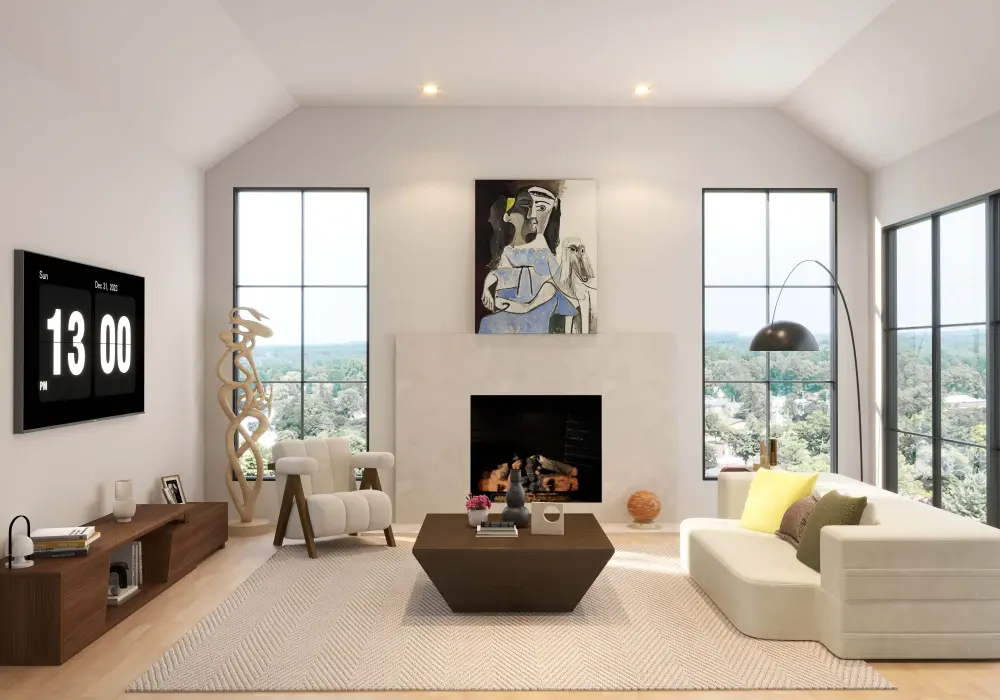
Fero 71"-110" Extendable TV Stand
Table of Contents
Plan Your Cable Layout Before You Start
Ten minutes of planning saves you from redoing the whole job later. Start with these steps:
- Unplug everything and photograph the setup. A photo of the original wiring is your undo button.
- List every cable. Include TV power, HDMI, game console, streaming device, soundbar or speakers, router and Ethernet.
- Measure the distances. Note the run from the TV to the outlet and to each device, in both inches and centimeters.
- Sort cables into three groups: hidden permanently, hidden but reachable, and frequently unplugged.
- Leave slack. Allow extra length so you can pull the stand out or swap a device without undoing everything.
Product tip: Buy cables in the right length, not the longest ones available. Excess cable is what creates the mess, and a 1 m (3 ft) HDMI cable is far easier to hide than a 3 m (10 ft) one coiled behind the stand.
Before you route anything, decide where the power will plug in.
Place the Power Strip and Surge Protector Behind the Stand Safely
The power strip is the anchor of your setup, because every other cable ends up near it. It is also the one part of this project where mistakes can be dangerous, so get it right first.
Choose and Mount the Surge Protector
Pick a surge protector carrying a recognized safety mark for your region (UL or ETL in North America, CE in Europe, UKCA in the UK), and make sure the plug type and voltage match your country's outlets.
Fix it to the back or side of the stand with adhesive mounts or screws, or set it in a ventilated compartment. Never seal it inside a closed box, where heat can build up. Position it so you can see its indicator light and reach its switch without moving the stand.
Avoid Common Mistakes
- Do not daisy-chain power strips by plugging one into another.
- Do not run cords under rugs or carpets, where heat and damage go unnoticed.
- Do not rely on a basic extension cord as a long-term solution.
Keep Power and Data Cables Apart
Keep power cables away from HDMI and Ethernet cables where you can. This reduces the chance of interference and makes troubleshooting easier. If the two must cross, cross them at right angles.
Homes With Children and Pets
Cover unused outlets, keep cables off the floor, and bundle any loose loops so they cannot be chewed or pulled.
With the power point fixed, you can bring the TV's cables down to it.
Bring the Cables From the TV Down to the Stand
The goal here is simple: every cable leaving the TV should end at one drop point behind the stand. How you get there depends on how your TV is installed.
- TV on the stand: Route the cables down the back of the TV and along the rear edge of the stand. A short sleeve or a few clips keeps them tight to the furniture.
- Wall-mounted TV: Use paintable cord covers or surface raceways in a color that matches the wall. They run straight down from the TV to the stand and can be removed later.
- Keep it short: Right-length cables leave less to hide, so use the measurements from your plan.
Safety note: Do not run standard power cords inside walls. If you want an in-wall solution, use an in-wall rated power kit installed according to your local electrical rules, or hire a licensed electrician. Use in-wall rated HDMI cables as well.
Route and Bundle Cables Behind the Stand
What You Need
This is the core of the job, and it needs only a few cheap supplies:
- Hook-and-loop (Velcro-style) straps
- Removable cable clips
- Cable sleeves
- Adhesive cable holders
Step-by-Step Routing
- Run the cables along a fixed path. Use the back panel or the inside edge of the stand, either vertically or horizontally, so every cable has a clear lane.
- Group cables by function. Keep power cables together, and keep HDMI, audio and Ethernet cables together in a second bundle.
- Secure each bundle loosely. Use reusable straps or clips, and leave enough give that you can slide a cable out later without cutting anything.
- Label both ends of every cable. A small tag reading "console", "soundbar" or "router" turns a future change into a two-minute job instead of a guessing game.
Open Stands and Closed Stands
An open stand shows its back, so use rear clips and a sleeve to keep the bundles neat and tight against the frame. A closed cabinet is easier: feed cables through the cutouts in the back panel, keep them clear of door hinges, and leave a little slack inside so doors close without pinching anything.
Leave Slack and Avoid Mistakes
Give each device a small service loop of spare cable so you can pull it forward to reach the ports. Avoid sharp bends in HDMI cables, especially newer high-bandwidth ones, because tight kinks can damage them.
Common mistake: Pulling plastic zip ties too tight. They are hard to adjust and can crush cables, so choose reusable straps instead.
Renter-Friendly and Low-Budget Ways to Finish the Look
Once the cables are bundled, a few finishing touches make the setup look intentional. Choose the level that fits your budget; prices are approximate.
Level | Budget | What to use |
Quick | Under $10 / €10 | The straps and adhesive clips from the previous section |
Mid-range | $10 to $40 / €10 to €40 | Paintable or removable cord covers, cable boxes |
Best result | $40+ / €40+ | A stand with built-in cable channels, or a custom outlet setup by a qualified professional |
No-drill options. If you rent, or simply do not want holes in the wall, try removable adhesive channels, a cable tray fixed to the back of the furniture, or a decorative basket or box placed in front of any remaining cords. Plants and a few well-placed books can hide what is left.
Floating and Thin-Leg Stands
These sit off the floor, so cables are easier to see from the side. Run them along the wall corner or the back panel, and choose covers in a color that matches the wall or the furniture.
Set a realistic goal. Aim to hide the cables from your main seating angle. They do not need to be invisible from every direction to look clean.
Conclusion: Start With Three Easy Steps
If you do only three things today, make them these:
- Unplug everything and photograph the setup.
- Label every cable at both ends.
- Bundle the cables and clip them behind the stand.
Then choose your path. Renters should stick to the no-drill options. Wall-mount owners can add a raceway or a code-compliant in-wall kit. Families with children or pets should handle power safety first.
One afternoon of work gives you a cleaner, safer and easier-to-maintain living room. Share your before-and-after photos in the comments, or subscribe for more home setup guides.
FAQ
How do I hide TV cables behind a TV stand without drilling?
Use hook-and-loop straps, adhesive cable clips and a cable sleeve on the back of the stand. Add a removable cord cover or a decorative basket for anything still visible. None of these need tools or holes.
Where should I put a power strip or surge protector in a TV stand?
Fix it to the back or side of the stand, or in a ventilated compartment. Leave space around it for airflow, keep the switch reachable, and never seal it in a closed box.
How do I hide the cables between a wall-mounted TV and the stand below it?
Use paintable cord covers or surface raceways that match the wall, running straight down to a single drop point behind the stand. Keep cables short so there is less to conceal.
How do I organize HDMI cables for a game console, soundbar and streaming device?
Label both ends, group the HDMI cables in one bundle, and leave a small service loop for each device. Avoid sharp bends, and secure them with reusable straps rather than tight zip ties.
Is it safe to extend a TV power cord, and what should I use instead?
It is safer not to splice or chain cords. Use a correctly rated, certified power cord of the right length, or move the outlet or power strip closer. For in-wall routing, use an in-wall rated kit or a licensed electrician.